Biometric Passkey Adoption: Secure Your Accounts Now
Advertisements
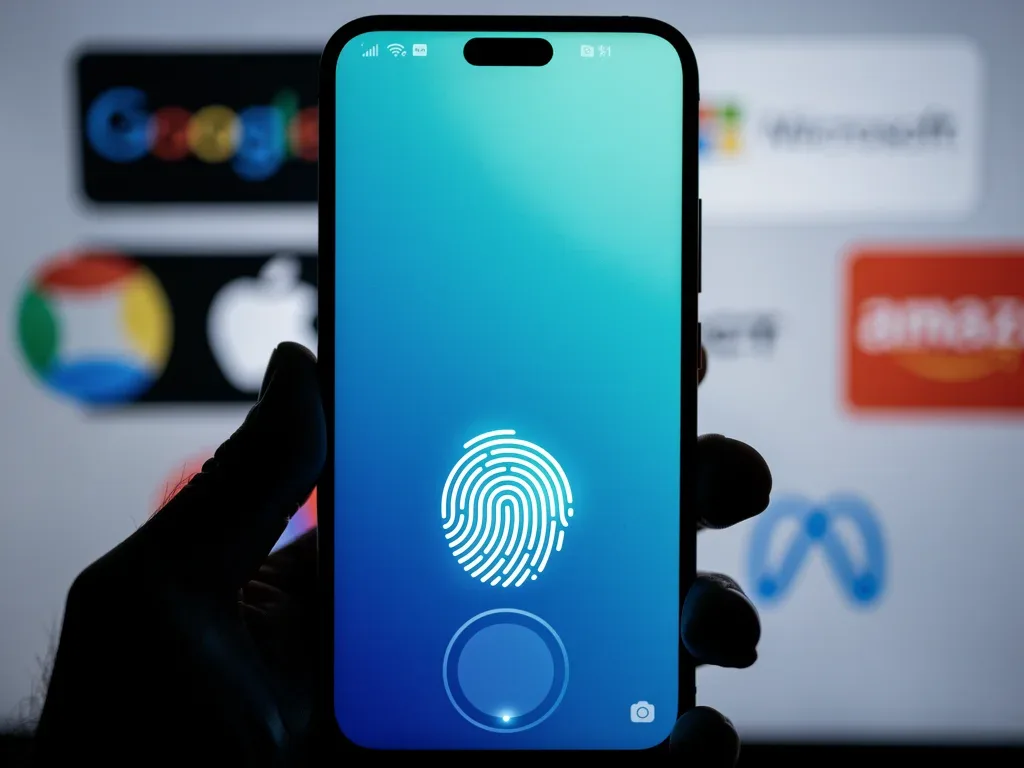
Biometric passkey adoption has reached 75%, revolutionizing how users secure personal accounts across major platforms like Google, Apple, Microsoft, Amazon, and Meta, offering enhanced security and simplified access.
The digital landscape is constantly evolving, and with it, the methods we use to protect our online identities. As of late, biometric passkey adoption has surged, reaching a remarkable 75% across various major platforms, fundamentally changing how we secure our personal accounts. This shift represents a significant leap forward from traditional passwords, promising a more secure and user-friendly authentication experience.
The Rise of Biometric Passkeys: A New Era of Security
The world is rapidly moving beyond the vulnerabilities of traditional passwords. Biometric passkeys, leveraging unique biological characteristics like fingerprints or facial recognition, offer a robust and convenient alternative. This section delves into the foundational principles behind passkeys and why their adoption has become so widespread.
For years, cybersecurity experts have warned about the inherent weaknesses of passwords. They are often weak, reused, and susceptible to phishing attacks. Passkeys, built on industry standards, address these issues by eliminating the need for users to remember complex strings of characters. Instead, authentication relies on a cryptographic key pair generated and stored securely on your device.
Understanding Passkey Technology
Passkeys operate on a public-key cryptography system, which involves two distinct keys: a public key and a private key. The public key is registered with the online service, while the private key remains securely on your device. When you attempt to log in, your device uses the private key to sign a challenge from the service, and the service verifies this signature using your public key. This process ensures that only your authorized device can authenticate your identity.
- Cryptographic Security: Utilizes strong encryption to prevent unauthorized access.
- Device-Bound: Private keys are stored locally, reducing server-side breaches.
- Phishing Resistant: Unlike passwords, passkeys cannot be phished as they do not involve transmitting secrets over the network.
- User-Friendly: Replaces complex passwords with simple biometric verification.
The widespread embrace of passkeys by major tech companies signifies a collective effort to enhance digital security. This unified approach makes it easier for users to adopt and manage their online identities securely, fostering greater trust in digital interactions.
In essence, biometric passkeys provide a powerful defense against many common cyber threats. Their design fundamentally improves both security and convenience, marking a pivotal moment in the evolution of digital authentication. This shift is not just about technology; it's about empowering users with simpler, stronger security.
Securing Your Google Account with Passkeys
Google has been at the forefront of promoting passkey adoption, offering seamless integration across its vast ecosystem. Securing your Google account with a passkey not only enhances protection but also streamlines your login experience. This section outlines how to enable and manage passkeys for your Google services.
Google's implementation of passkeys allows users to sign in without entering a password, relying instead on a fingerprint, face scan, or device PIN. This method significantly reduces the risk of credential stuffing and phishing attacks, which are prevalent threats to Google accounts.
Enabling Passkeys on Google
The process of setting up passkeys for your Google account is straightforward. You typically navigate to your Google Account settings, find the Security section, and look for the 'Passkeys' option. From there, you can create a passkey using your device's biometric sensors or PIN.
- Access Google Account: Go to myaccount.google.com.
- Navigate to Security: Find the 'Security' tab on the left-hand menu.
- Locate Passkeys: Scroll down to 'How you sign in to Google' and select 'Passkeys'.
- Create Passkey: Follow the on-screen prompts to create a passkey using your device's biometrics or PIN.
Once enabled, your passkey will be synchronized across all devices linked to your Google account, assuming they support passkeys. This means you can use the same biometric method to log in from your phone, tablet, or computer, provided the devices are properly configured.
The benefits extend beyond just convenience. By eliminating the password, you remove a major attack vector for cybercriminals. Even if a data breach occurs, your passkey remains secure on your device, making it much harder for unauthorized individuals to gain access to your account.
Google's commitment to passkeys underscores its dedication to user security and privacy. By simplifying the login process while simultaneously strengthening defenses, Google is paving the way for a passwordless future that benefits everyone.
Apple's Ecosystem and Passkey Integration
Apple has been a strong proponent of passkeys, integrating them deeply into its ecosystem across iOS, macOS, and iPadOS. This seamless integration ensures that users can enjoy enhanced security and ease of access across all their Apple devices. This section explores how Apple leverages passkeys to protect your personal data.
With iCloud Keychain, Apple makes it incredibly easy to create, store, and sync passkeys across all your devices. This means a passkey created on your iPhone can be used to log in on your MacBook Pro, providing a consistent and secure experience.
Creating and Managing Passkeys on Apple Devices
For Apple users, passkeys are often created automatically when you sign up for new services or update existing ones that support the technology. You can also manually create passkeys for various accounts through your device's settings.
- Automatic Creation: Many apps and websites will prompt you to create a passkey upon login.
- iCloud Keychain: Passkeys are securely stored and synced via iCloud Keychain.
- Face ID/Touch ID: Authentication is handled swiftly using your device's biometric sensors.
- Universal Access: Use passkeys across iPhone, iPad, Mac, and Apple Watch for seamless logins.
Apple's focus on user privacy and security naturally extends to its passkey implementation. The private keys are stored within the Secure Enclave of your Apple devices, a dedicated hardware component designed to protect sensitive data. This hardware-level security makes it extremely difficult for attackers to compromise your passkeys.
The integration of passkeys into Apple's operating systems means that developers can easily incorporate this technology into their apps and websites, further expanding the reach and utility of passkeys. This widespread adoption within the Apple ecosystem contributes significantly to the overall biometric passkey adoption trend.
By providing a robust, convenient, and deeply integrated passkey solution, Apple empowers its users to navigate the digital world with greater confidence, knowing their accounts are protected by state-of-the-art security measures.
Microsoft's Approach to Passwordless Authentication
Microsoft has made significant strides in its journey towards a passwordless future, with passkeys playing a central role in securing Windows, Microsoft 365, and Xbox accounts. This section examines how Microsoft is integrating passkeys to provide a more secure and efficient authentication experience for its vast user base.
For business and individual users alike, Microsoft's push for passwordless options, including passkeys, aims to mitigate the risks associated with traditional passwords, such as brute-force attacks and phishing campaigns. Windows Hello, for instance, serves as a primary biometric gateway for passkey usage on Windows devices.
Implementing Passkeys in Microsoft Accounts
Microsoft offers several ways to go passwordless, with passkeys being a highly recommended option. Users can set up passkeys through their Microsoft account security settings, linking them to their Windows Hello credentials or other supported biometric methods.
- Windows Hello Integration: Utilize facial recognition, fingerprint, or PIN for passkey access on Windows 10/11.
- Microsoft Account Security: Manage passkeys directly from your Microsoft account dashboard.
- Azure Active Directory: Enterprises can implement passkeys for enhanced corporate security.
- Cross-Platform Support: Passkeys can be used for Microsoft services on non-Microsoft devices that support the standard.
The seamless integration with Windows Hello means that once you've set up your biometric login for your device, you can use the same method to authenticate with Microsoft services that support passkeys. This uniformity simplifies the user experience while maintaining a high level of security.
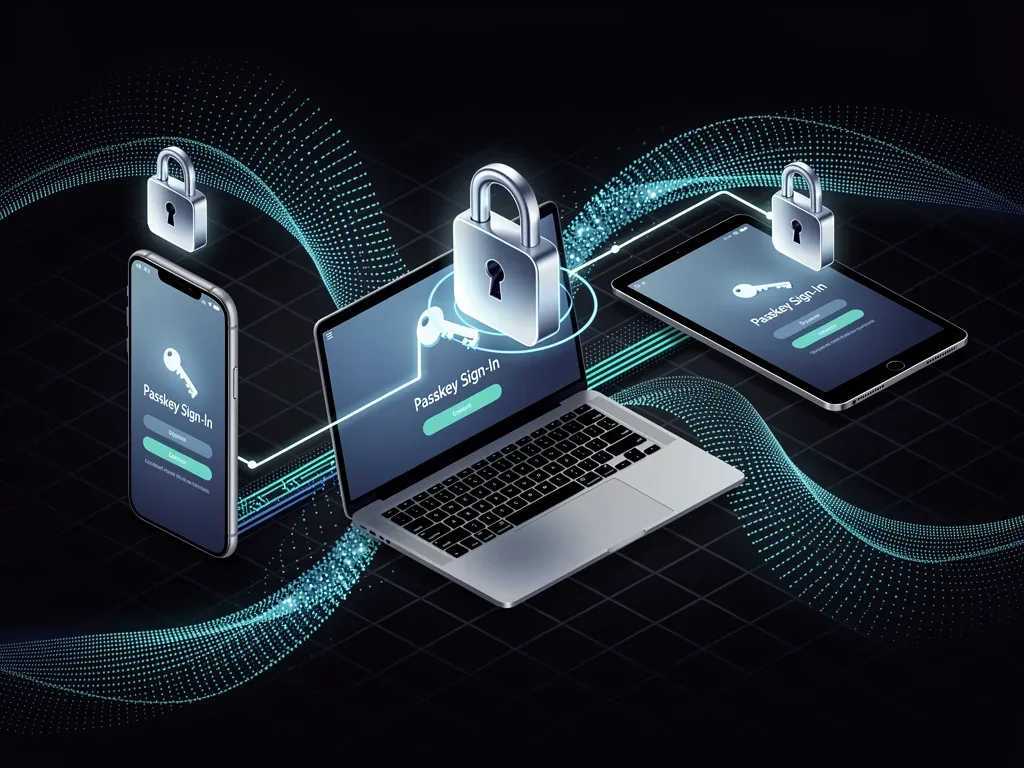
Microsoft's commitment to passwordless authentication extends to its enterprise offerings, with passkeys providing a more secure and manageable solution for organizations. This broad deployment across consumer and business platforms significantly contributes to the growing trend of biometric passkey adoption.
By offering robust passkey support, Microsoft helps users and organizations safeguard their digital assets against an increasingly sophisticated threat landscape, proving that convenience and strong security can indeed coexist.
Amazon and Meta: Expanding Passkey Horizons
Beyond the operating system giants, major platforms like Amazon and Meta (Facebook, Instagram, WhatsApp) are also embracing passkeys, extending the reach of this secure authentication method to e-commerce and social media. This section highlights their efforts in integrating passkeys to protect user accounts and data.
As online commerce and social interactions become increasingly central to our daily lives, the security of these platforms is paramount. Passkeys provide a critical layer of defense against account takeover attempts, which can have significant financial and personal consequences.
Passkey Implementation on Amazon and Meta
Both Amazon and Meta are rolling out passkey support, allowing users to log in to their accounts using biometrics or device PINs. This move aims to simplify the login process while bolstering security against common threats like phishing and credential theft.
- Amazon Account Security: Enable passkeys through your Amazon account settings for secure shopping.
- Meta Accounts Center: Manage passkeys for Facebook, Instagram, and other Meta services in one place.
- Enhanced Protection: Reduces the risk of unauthorized access to your personal and financial information.
- User Convenience: Faster and more secure logins without the need to remember complex passwords.
For Amazon, passkeys mean a more secure shopping experience, protecting sensitive payment information and personal data. For Meta, it translates to better protection for your social identity, preventing unauthorized posts, messages, and access to private information.
The adoption of passkeys by these influential platforms is crucial because it introduces the technology to a massive user base that might not typically engage with advanced security features. This broad exposure accelerates the overall rate of biometric passkey adoption.
By empowering users with a simpler yet stronger authentication method, Amazon and Meta are contributing to a safer internet environment, where personal accounts are better shielded from the ever-present dangers of cybercrime.
Challenges and Future of Biometric Passkey Adoption
While biometric passkey adoption has seen remarkable growth, several challenges remain, and the future promises further evolution. This section explores the hurdles that still need to be overcome and what we can expect from passkey technology in the coming years.
Despite their advantages, passkeys are not without their complexities. Issues such as device loss, cross-platform compatibility, and user education still need to be addressed to ensure universal adoption and seamless user experience.
Overcoming Adoption Hurdles
One primary challenge is ensuring users understand how passkeys work and the benefits they offer. Many users are accustomed to passwords and may be hesitant to switch to a new authentication method. Education and clear guidance from platforms are essential.
- User Education: Clear communication on how passkeys work and their benefits.
- Device Recovery: Robust mechanisms for recovering accounts if a device is lost or stolen.
- Cross-Platform Consistency: Ensuring a uniform experience across different operating systems and browsers.
- Accessibility: Designing passkey solutions that are accessible to all users, including those with disabilities.
Another area of concern is device recovery. If a user loses all their passkey-enabled devices, there must be a secure and straightforward way to regain access to their accounts. Solutions like multi-device synchronization and secure backup options are crucial for addressing this.
Looking ahead, we can anticipate further standardization and broader support for passkeys across even more services. The development of new biometric modalities and enhanced security features will continue to refine the passkey experience, making it even more robust and user-friendly.
The future of authentication is undoubtedly passwordless, and passkeys are leading the charge. As technology matures and challenges are overcome, we can expect an even higher rate of biometric passkey adoption, ushering in an era of unprecedented digital security and convenience.
| Key Aspect | Brief Description |
|---|---|
| Passkey Fundamentals | Uses public-key cryptography for secure, phishing-resistant authentication, replacing traditional passwords. |
| Major Platform Support | Google, Apple, Microsoft, Amazon, and Meta have integrated passkeys for enhanced account security. |
| Security Benefits | Eliminates password vulnerabilities like phishing and credential stuffing, storing keys securely on devices. |
| Future Outlook | Continued standardization, improved recovery methods, and broader accessibility are key for universal adoption. |
Frequently Asked Questions About Biometric Passkeys
What exactly is a biometric passkey?▼A biometric passkey is a digital credential that allows you to sign in to websites and apps using your fingerprint, face scan, or device PIN, eliminating the need for traditional passwords. It relies on cryptographic keys stored securely on your device for authentication.
How do passkeys enhance security compared to passwords?▼Passkeys are phishing-resistant and device-bound, meaning they cannot be stolen through fake websites or reused in data breaches. Your private key remains on your device, making unauthorized access significantly harder than with traditional passwords.
Which major platforms currently support biometric passkeys?▼Major platforms like Google, Apple, Microsoft, Amazon, and Meta have widely adopted biometric passkeys. This broad support allows users to secure their accounts across a wide range of services with this advanced authentication method.
What happens if I lose my device with my passkeys?▼If you lose your device, you typically have recovery options through cloud services like iCloud Keychain or Google Password Manager, which sync passkeys across devices. Additionally, most platforms offer alternative recovery methods to regain account access securely.
Is biometric passkey adoption truly widespread?▼Yes, biometric passkey adoption has reached 75% across major platforms, indicating a significant and growing trend towards passwordless authentication. This widespread acceptance reflects both increased security and improved user convenience.
Conclusion
The surge in biometric passkey adoption, reaching 75% across industry giants like Google, Apple, Microsoft, Amazon, and Meta, marks a pivotal moment in digital security. This shift away from vulnerable passwords towards more robust, user-friendly authentication methods represents a significant stride in protecting personal accounts. While challenges such as user education and account recovery mechanisms remain, the clear benefits of enhanced security and simplified access are undeniable. As technology continues to evolve, passkeys are set to become the standard, ushering in a more secure and seamless online experience for everyone. Embracing this technology is not just about convenience; it's about proactively safeguarding our digital lives in an increasingly connected world.
